

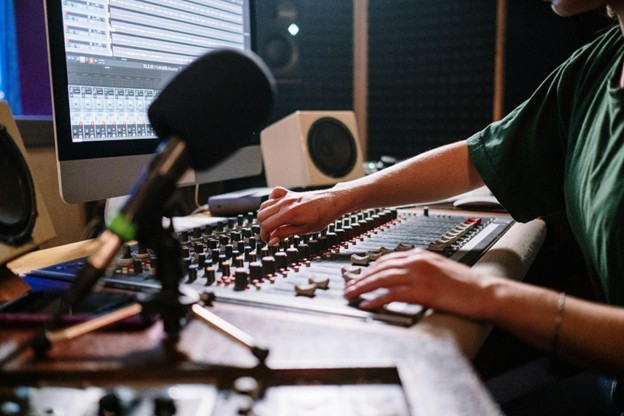
The digital shift in training often neglects a basic human element: auditory reinforcement. While visual dashboards dominate, integrating sound is a catalyst for deeper cognitive retention. It’s not about noise, it’s about creating a multisensory environment where information sticks. Why settle for static text when tactile, auditory triggers bridge the gap?
The physical act of engaging with a sound trigger provides a somatic marker that helps the brain categorize data. It creates a psychological anchor for specific concepts, making them easier to recall. By moving beyond passive consumption, these tools turn every learning session into a dynamic exchange.
Why Sensory Feedback Completes Professional Training?
Traditional corporate modules often fail because they rely too heavily on a single sensory channel. When a learner only reads text, the brain processes it in a linear, often forgettable way. Integrating sound creates a secondary neural pathway. The tactile sensation of pressing a button combined with immediate audio feedback mimics real-world interaction.
A brain imaging study published in 2024 confirms that incorporating spatial auditory cues into voluntary visual training led to measurably increased activation in multisensory brain regions, including the thalamus, inferior parietal lobe, and cerebellum, changes that were observed only for the trained multisensory task, not for unimodal visual stimulation alone.
Like a pilot in a cockpit, corresponding sounds create immediate feedback loops. This reduces cognitive load, making complex learning intuitive. Audible success builds professional confidence through consistent, repeatable, and effortless information synthesis.
Why Is Soundboard Architecture Effective For Complex Data?
The structural design of a sound-based interface allows for the categorization of data into digestible bites. Instead of a long lecture, information is segmented into discrete triggers that the user controls.
Integrating a professional soundboard or dedicated triggers from a Sound Buttons Lab setup allows for the customization of procedural steps. This level of personalization ensures that the technology adapts to the professional’s unique workflow rather than the other way around.
This architecture supports the chunking method of learning, where large datasets are broken into smaller, manageable pieces. When users feel in control of the pace and the delivery of information, their ability to synthesize that data increases. It transforms a standard educational tool into a precision instrument for professional development.
How Cognitive Load Theory Influences Modern Tool Design?
Understanding the balance between mental effort and information processing is essential for creating effective educational tools. Streamlined, audio-supported systems improve the user experience by refining sensory interactions:
The Role Of Auditory Stimuli
Auditory triggers act as signposts, signaling transitions and highlighting facts. This rhythmic structure prevents passive learning, ensuring professionals remain alert and engaged throughout the training session.
Reducing Visual Fatigue
Sound buttons allow eyes to rest while ears process data, preventing digital strain. This sensory shift maintains focus and energy levels for more productive, burnout-free training periods.
Enhancing Procedural Memory
Sound is linked to habit formation. Associating specific audio with professional tasks builds muscle memory, ensuring a smooth, natural transition from simulated environments to the actual workplace.
Where The Myth Of Childish Learning Tools Falls Short?
A common misconception is that tactile sound tools are strictly for early childhood education. This ignores the fact that adult brains are equally responsive to sensory reinforcement. In reality, the gamification of professional training is a sophisticated psychological strategy. According to educational technology, the use of interactive media in adult education has grown because it addresses the diverse ways professionals actually learn. It’s not about being playful; it’s about being efficient with cognitive resources.
High-stakes environments like trading floors use audio cues to signal market shifts faster than visual alerts. Professional interfaces streamline operations and improve accuracy by providing real-time audio data. Dismissing these tools as toys ignores a significant opportunity to improve operational efficiency and reduce errors in complex workflows.
How To Implement Interactive Audio In Your Existing Workflow?
Integrating sound doesn’t require a total overhaul of your current systems. Start by identifying the most repetitive or high-error tasks in your daily routine. These are the prime candidates for auditory reinforcement. Success in this implementation depends on several strategic factors:
Identifying Key Triggers
Focus on specific terminology or steps that are frequently missed. Assign a unique sound to each of these points to create a mental shortcut. This ensures that every time the sound is heard, the brain automatically recalls the associated information without needing to search for it.
This approach is backed by cognitive science. Research on audiovisual integration has consistently demonstrated that recall and discrimination are significantly improved in picture-sound conditions compared to single-modality conditions. Furthermore, a study on audiovisual memory cues found a significant main effect for the number of cues, confirming that multiple stimuli presented during encoding lead to better memory performance. This means that pairing a sound cue with a key piece of information creates a stronger, more retrievable memory trace than text alone.
Auditing Sound Quality
The effectiveness of a sound button relies on clarity. Distorted or overly loud audio can be distracting rather than helpful. Use high-fidelity recordings that are distinct enough to be recognized immediately but subtle enough not to disrupt the surrounding office environment or the user’s concentration.
Essential Insights And Clarifications
Are sound buttons effective for remote teams?
Yes, they create a shared auditory language. This synchronizes workflows in distributed environments, providing consistent milestones that visual-only tools often lack, ensuring everyone stays aligned during complex tasks.
Can these tools be used for language-based technical training?
Absolutely. They allow professionals to master complex jargon by hearing correct pronunciations instantly. This reduces communication errors and builds confidence when dealing with international clients or highly technical procedures.
What is the best way to avoid sensory overload?
Use audio triggers sparingly for only the most critical information or common error points. Strategic placement ensures sounds remain meaningful signals rather than becoming distracting background noise during training.